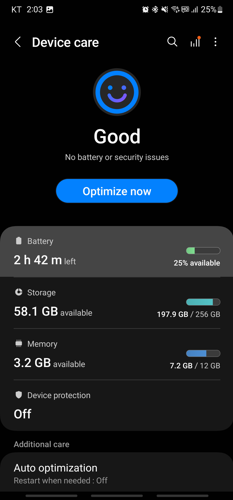
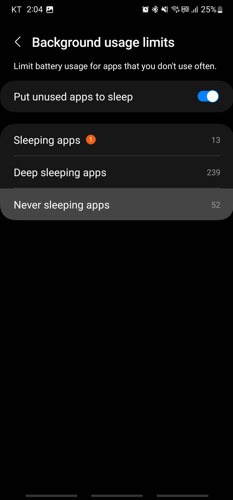
If the AFR Android app stops working in the background or when the screen goes off, it may be because your phone has put it in a background or sleeping mode that restricts its functioning. To resolve this issue, refer to the steps below.




Send an email to [email protected] with a description of your problem and the Manufacturer and Model of your phone.
If the AFR Android app stops playing in the background or when the screen goes off, first try disabling background mode here:
App stops working in background or when screen turns off
In some cases, the app may continue to stop playing when the screen goes off and that may be due to Power Saving mode being turned on. Disable Power Saving mode with the following steps.
Send an email to [email protected] with a description of your problem and the Manufacturer and Model of your phone.
Are you experiencing issues with the AFR Android app not working in the background or when your phone screen goes off? We have heard from other users and have witnessed this issue using our own Android devices. This article will provide links to possible solutions.
We understand that all Android devices are not the same. Devices from different manufacturers may include features that other manufacturers do not have and due to this, Settings screens may differ. We have tried to include descriptions and screenshots to update certain settings but your device may be slightly different than what we have shown.
We have had success in helping most users to get their app working without interruption of playing the stream. Some users only had to make a single setting change and others had to make more than one setting change.
https://afr.net/app-faq/android/how-to-add-afr-app-to-never-sleeping-apps/
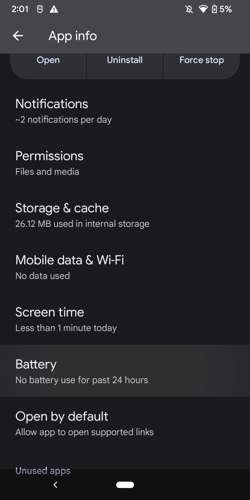
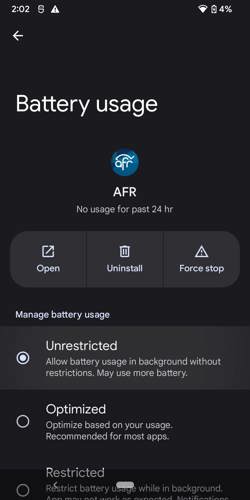
https://afr.net/app-faq/android/how-to-change-app-battery-usage-setting/
https://afr.net/app-faq/android/how-to-change-power-savings-mode/
https://afr.net/app-faq/android/how-to-change-battery-saver-mode/
https://afr.net/app-faq/android/how-to-update-my-data-usage-and-data-saver-settings/
Send an email to [email protected] with a description of your problem and the Manufacturer and Model of your phone.
If the AFR Android app stops working in the background or when the screen goes off, it may be because your phone has put it in a background or sleeping mode that restricts its functioning. To resolve this issue, refer to the steps below.
Send an email to [email protected] with a description of your problem and the Manufacturer and Model of your phone.
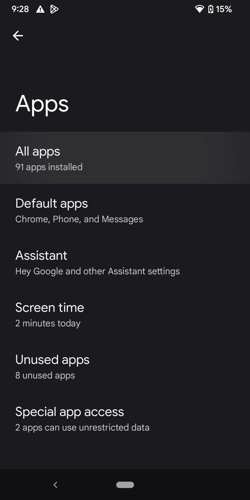
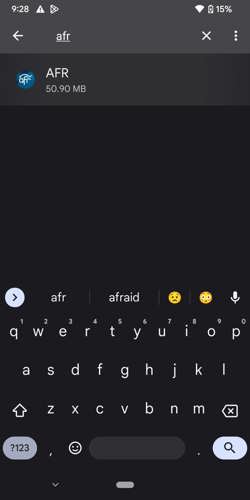
If the AFR Android app stops working in the background or when the screen goes off, it may be because your phone has put it in a background or optimized battery usage mode that restricts its functioning. To resolve this issue, refer to the steps below.
Send an email to [email protected] with a description of your problem and the Manufacturer and Model of your phone.
In some cases, the app may continue to stop playing when the screen goes off and that may be due to Power Saving mode being turned on. Disable Power Saving mode with the following steps.
Send an email to [email protected] with a description of your problem and the Manufacturer and Model of your phone.
In some cases, the app may continue to stop playing when the screen goes off and that may be due to Battery Saver mode being turned on. Disable Battery Saver mode with the following steps.
Send an email to [email protected] with a description of your problem and the Manufacturer and Model of your phone.
If you have Data Saver enabled, you may see interruption in the AFR app playing as your phone is trying to preserve your mobile device data plan. To override this feature, follow these steps:
Send an email to [email protected] with a description of your problem and the Manufacturer and Model of your phone.